
Quick shells #
Quick shells are booming right now. Lightweight, composable desktop shells built with modern toolkits are popping up everywhere. Instead of being locked into a full desktop environment, you get modular pieces that you can tweak, script, and make truly yours.
One of the projects pushing this space forward is Quick Shell: https://quickshell.org/
Quick Shell is a toolkit for building desktop shells using QML. It gives you the building blocks to create panels, widgets, overlays, and even full desktop experiences without writing a compositor from scratch. If you like declarative UI and clean architecture, this is your thing.
Dank Material Shell #
Dank Material Shell (DMS) is built on top of Quick Shell and follows a Material-inspired design language. It looks clean, modern, and actually feels cohesive. Not just another bar slapped onto Wayland it feels like a proper shell.
What I really like about DMS:
- Clean Material design without being overdone
- Plugin marketplace
- Simple CLI tooling (Written in Go <3)
- Built with QML (easy to extend once you understand it)
- Works beautifully with modern Wayland compositors
It feels opinionated enough to look good out of the box, but flexible enough to customize deeply.
Niri #
I thought Hyprland was great, but again as always, new things come along and bring something to the table that I cannot ignore.
Meet Niri.
Niri is a scrollable tiling Wayland compositor. That one word — scrollable — changes how you think about window management. Instead of rigid workspaces, you get an infinite horizontal strip of windows that you scroll through. It sounds simple, but it completely changes the flow.
What makes Niri special and different:
- Infinite scroll layout instead of traditional workspaces
- Predictable tiling — no layout gymnastics
- Minimal and distraction-free
- Extremely smooth and fast
- Feels natural once your muscle memory adapts
After using it, I’m not going back. This is the best yet.
Installing Niri with Dank Material Shell #
Here’s roughly how I set it up (Fedora in my case — adjust for your distro).
Install Niri #
sudo dnf install niri
Install Dank Material Shell #
Dank Material Shell CLI is written in Go. Woho! 🚀
Install the CLI:
go install github.com/danklinux/dms-cli@latest
Then:
dms install
Start Niri, then launch DMS:
dms start
Or configure it in your Niri config to autostart.
That’s it. Clean, modern, scrollable desktop.
QML and Custom Plugins #
Quick Shell made it easy to develop custom plugins using QML. I created 2 plugins of my own — widgets for the Dank bar.
1. Kube Context and Namespace #
https://github.com/rahulmysore23/dms-k8s
This shows:
- Current Kubernetes context
- Active namespace
If you switch clusters often, this is super useful. No more deploying to the wrong cluster because you forgot your context.
2. Dnf and Flatpak Updater #
https://github.com/rahulmysore23/dms-pkg-update
This checks:
- Pending DNF updates
- Pending Flatpak updates
And shows it directly in the bar. Simple and practical.
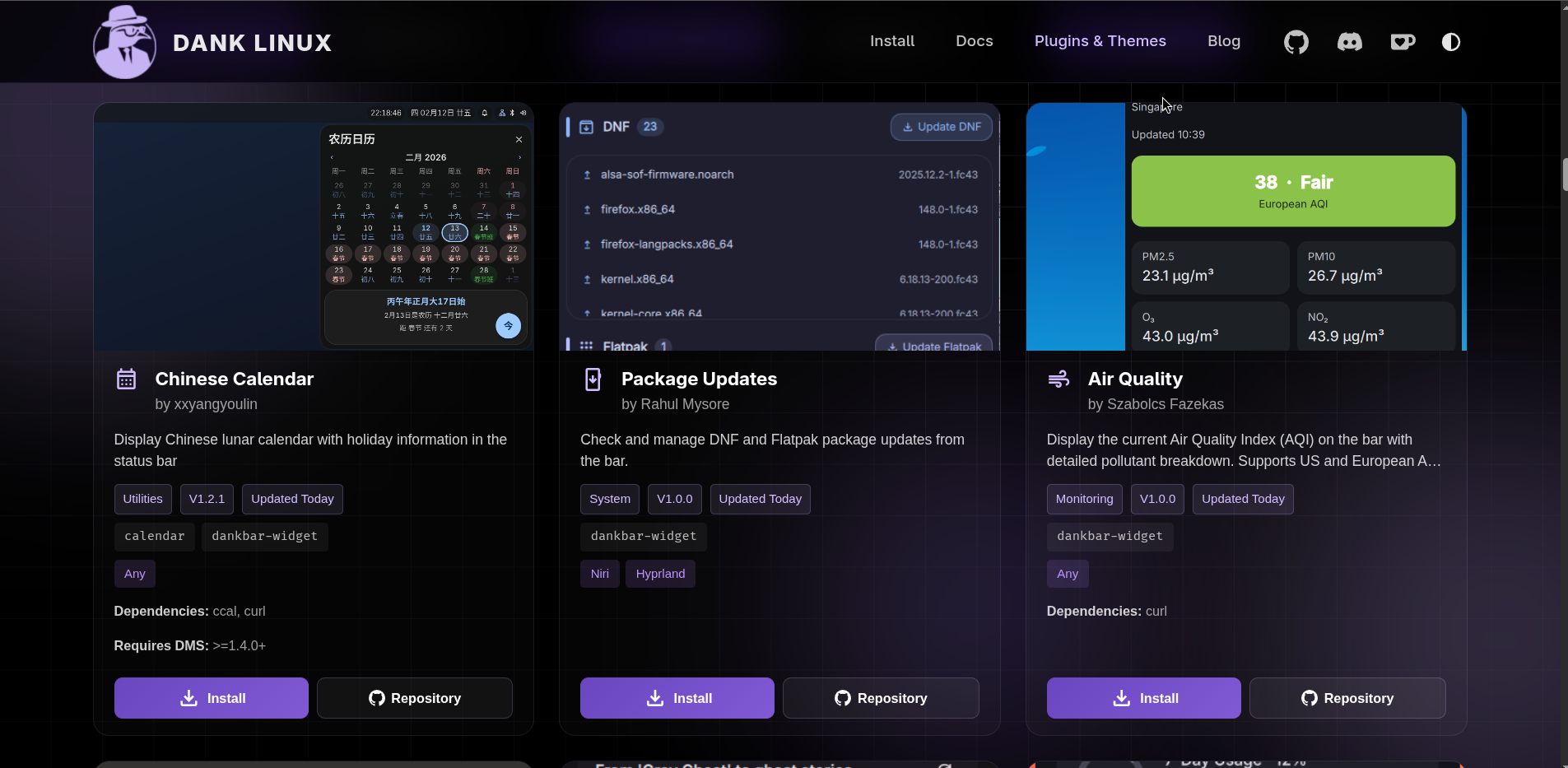
I’m new to QML but the documentation is easy and DMS is great. I’m still learning how to build these while obviously using AI help to move faster.
I published my Dnf and Flatpak updater plugin on the DMS marketplace. I’m happy that it got approved and is now available for everyone to use directly from the marketplace.
Quick shells are evolving fast. Wayland compositors are evolving fast.
Niri + Dank Material Shell is currently my favorite setup.
And honestly? I’m not going back.